Stay Ahead of Hackers: Ultimate Guide to Protecting Your Personal Data in 2025
Safeguard Your Digital Life: Top Strategies to Outsmart Hackers in 2025
In our increasingly digital world, your personal data is under constant siege. Hackers are always on the prowl, seeking out weaknesses like feeble passwords, exposed emails, and outdated software to breach your digital fortress. This guide will arm you with the knowledge and tactics to shield your personal data effectively.
The Biggest Threats to Your Personal Data in 2025
You’re not imagining things; you truly are a target. Every click, login, and moment spent online could be an opportunity for someone to compromise your data. Most people don’t realize they’ve been hacked until the damage is done. Let’s delve into the most significant digital threats lurking in the shadows.
Phishing Scams: The Psychological Trap
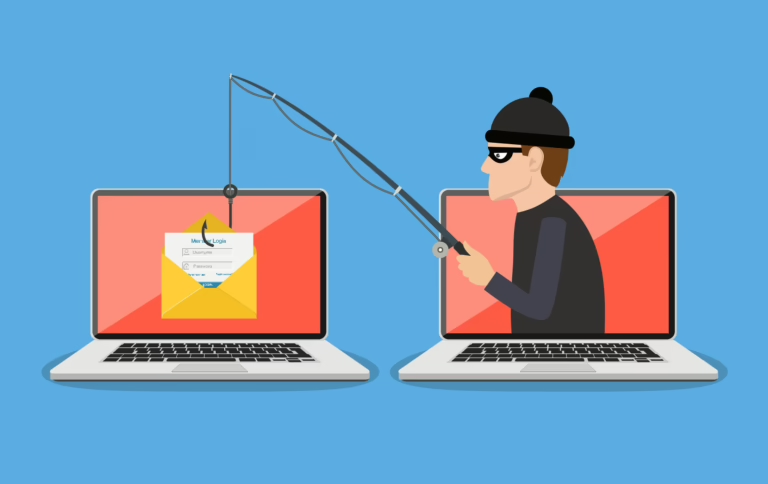
You receive an email that seems to be from a legitimate source, like PayPal. The logo and wording appear authentic, and they claim your account is compromised, urging you to click a link to verify your information.
With one click and login, your credentials are stolen. Hackers can access your account before you even realize what’s happened.
AI-powered phishing scams are incredibly convincing and can even fool cybersecurity experts.
Survival Tip: Never trust unexpected emails. Verify the sender, hover over links to check their legitimacy, and contact the company directly if you’re unsure.
Data Breaches: The Digital Catastrophe
Your passwords are likely already leaked. Hackers don’t need to guess them; they can simply buy them on the dark web.
The dark web is an online black market where your stolen credentials are sold for minimal amounts.
Massive data breaches occur daily, affecting major platforms like Facebook, LinkedIn, and even hospitals, exposing your private health data.
Survival Tip: Assume your passwords have been exposed. Use unique logins for every account.
Malware & Keyloggers: The Silent Intruders
You download what seems to be a harmless free PDF or software update. Unbeknownst to you, a keylogger is now running in the background, recording every keystroke, including your passwords, emails, and credit card details.
Hackers don’t need direct access to your account; they have access to everything you type.
Survival Tip: Never download files from untrustworthy sites. If it’s free and seems too good to be true, it’s likely malware.
Top 10 Ways to Protect Your Personal Data from Hackers
Hackers are persistent, but you can make yourself a less attractive target. Follow these essential strategies to safeguard your personal data.
Use Strong Passwords
Weak passwords like “123456” and “password” are still among the most commonly used. If you’re using one of these, change it immediately.
Hackers use brute-force attacks to crack short passwords in seconds.
Survival Tip: Use long passphrases, such as “Gorilla-Cloud-Taco$42,” and store them in a password manager like Bitwarden or 1Password.
Enable Two-Factor Authentication (2FA)
If you’re not using 2FA, your password alone is insufficient to protect your accounts.
Hackers frequently steal passwords, but 2FA adds an extra layer of security that most hackers won’t bother trying to bypass.
Survival Tip: Use app-based 2FA, such as Google Authenticator or Authy, and avoid SMS-based 2FA, which is more vulnerable to hacking.
Be Wary of Phishing Attempts
Cybercriminals often trick you into giving them the information they need rather than hacking you directly.
If you receive an email claiming your account is compromised, stop, think, and verify before taking any action.
Survival Tip: Never click on links in emails unless you’re absolutely certain they’re legitimate. When in doubt, visit the website directly.
Secure Your Social Media Accounts
Your social media profiles are not just for sharing vacation photos; they’re a goldmine for hackers. Be cautious about what you share and who can see it.
- Location tags can reveal where you are.
- Old posts may contain answers to your security questions.
- Fun quizzes can phish for your personal details.
Survival Tip: Lock down your profiles, set everything to private, turn on login alerts, and use a separate email for social media. If you wouldn’t tell a stranger, don’t post it.
Use a VPN
A VPN acts as an invisibility cloak, protecting your internet activity from hackers, your ISP, and advertisers. Without a VPN, your online actions are essentially public.
- Public Wi-Fi at airports and cafes can be risky, as hackers may be lurking.
- Your internet provider can sell your browsing history.
- Streaming sites may have geo-restrictions that limit your access to content.
Survival Tip: Use a trusted VPN service like NordVPN, Mullvad, or ProtonVPN. Avoid free VPNs, as they may sell your data instead of protecting it.
Keep Your Devices Updated
Software updates are crucial for fixing security vulnerabilities that hackers can exploit. Skipping updates leaves you exposed to cyber threats.
- Windows updates fix security holes.
- Browser updates block malicious scripts.
- Phone updates patch zero-day exploits.
Survival Tip: Enable automatic updates and install new updates as soon as they become available to prevent hackers from exploiting old vulnerabilities.
Avoid Public Wi-Fi
While convenient, public Wi-Fi networks at cafes, airports, and hotels are often not secure. Hackers can use these networks to intercept your connection and steal your data.
- Man-in-the-middle attacks allow hackers to intercept your connection and steal everything you type.
- Fake Wi-Fi networks can trick you into connecting to a hacker’s hotspot.
- Session hijacking enables hackers to steal your login session and control your accounts without needing your password.
Survival Tip: Avoid logging into sensitive accounts on public Wi-Fi. If you must use it, enable a VPN or use your mobile data instead.
Monitor Your Bank Accounts
By the time most victims realize they’ve been hacked, their money is often already gone. Be proactive in monitoring your bank accounts to prevent this.
- Hackers may make small test charges to see if your card is active.
- Unfamiliar logins or access from other countries could indicate a security breach.
- SIM-swapping attacks involve hackers hijacking your phone number to bypass 2FA and drain your bank account.
Survival Tip: Set up bank alerts for every transaction, freeze your credit if you’re not using it, and never ignore unexpected charges.
Limit App Permissions
Be cautious about the permissions you grant to apps. Many apps request access to information that seems unrelated to their function, which can put your personal data at risk.
Survival Tip: Regularly review and limit app permissions to protect your personal data.