Examining Android Encryption Processes with Frida
Mobile applications often use the HTTP protocol to communicate with servers. To prevent sensitive data such as session information, user details, and transaction-specific parameters from being intercepted by proxy software, these applications encrypt the data before sending it to the server. The server then decrypts the data and proceeds with the requested operations.
RSA Encryption
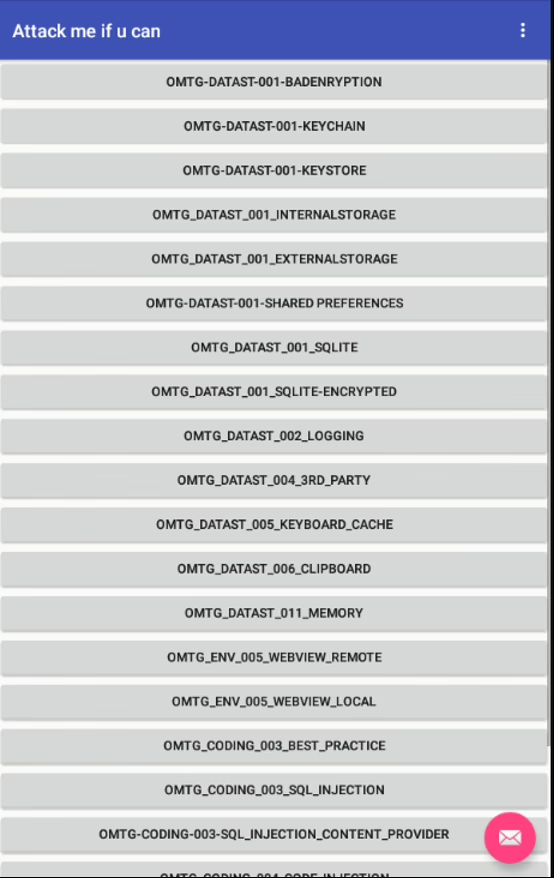
To better understand how encryption processes work in Android applications, we will examine the OWASP MSTG-Hacking-Playground application. After installing the APK file on a mobile emulator or device, the application opens with the following screen:
To explore encryption processes, you need to access the OMTG-DATAST-001-KEYSTORE module. Upon entering the module, the following page appears:
When analyzing the module on an Android device, it is observed that the module encrypts the value entered in the “Clear Text” field and then decrypts it. Using the “Jadx-gui” tool to analyze the APK file, we can identify the function responsible for the “encrypt” operation (sg.vp.owasp_mobile.OMTG_Android.OMTG_DATAST_001_KeyStore).
Let’s examine the code line by line:
The main code block where the encryption process is performed is found on lines 163 and 164.
The source code of the “Cipher” object can be accessed from the following link: Cipher.java.
Using Frida, we can analyze the encryption process by hooking the “init” function. To hook the “init” function, we first need to determine the function’s parameters. Upon examining the source code at the provided URL, it is observed that the “init” function is overloaded with different values. The application takes an “int” as the first parameter and an “RSAPublicKey” type key value as the second parameter.
By analyzing the overloaded functions, we can identify the function that works with the parameters calling the “init” function.
Here is the Frida code to hook the “init” function:
'use strict';

Java.perform(() => {
  const cipher = Java.use('javax.crypto.Cipher');
  cipher.init.overload('int', 'java.security.Key').implementation = function(opmode, key) {
    console.log("Opmode " + opmode);
    console.log("Key " + key);
  }
})
When the Frida code is executed, the output on the application and Frida interface will look like this:
The “init” function is successfully hooked, but since the function’s operations are not executed during hooking, the application throws an error. To prevent this, the following Frida code can be written:
'use strict';

Java.perform(() => {
  const cipher = Java.use('javax.crypto.Cipher');
  cipher.init.overload('int', 'java.security.Key').implementation = function(opmode, key) {
    console.log("Opmode " + opmode);
    console.log("Key " + key);
    this.init.overload('int', 'java.security.Key').call(this, opmode, key);
  }
})
The above code will recall the “init” function and ensure that the operations are performed. In this way, the function is hooked, and the operations can continue without disrupting the flow.
After this step, all functions of the “javax.crypto.Cipher” object can be called, and the necessary information can be retrieved. For example, the Frida code that ensures the “getOpmodeString” function is called:
'use strict';

Java.perform(() => {
  const cipher = Java.use('javax.crypto.Cipher');
  cipher.init.overload('int', 'java.security.Key').implementation = function(opmode, key) {
    console.log("Opmode " + opmode);
    console.log("Key " + key);
    console.log("Opmode String: " + this.getOpmodeString(opmode));
    this.init.overload('int', 'java.security.Key').call(this, opmode, key);
  }
})
The encryption algorithm can also be obtained using the “getAlgorithm” function of the relevant Java (“javax.crypto.Cipher”) object. To obtain the “Key” value, the source code of the “java.security.Key” class should be analyzed:
The “Key” value can be obtained using the “getEncoded” method of the object. Here is the Frida code for obtaining the “Key” value:
'use strict';

Java.perform(() => {
  const cipher = Java.use('javax.crypto.Cipher');
  cipher.init.overload('int', 'java.security.Key').implementation = function(opmode, key) {
    console.log("Opmode " + opmode);
    console.log("Key " + key.getEncoded());
    console.log("Opmode String: " + this.getOpmodeString(opmode));
    console.log("Algorithm: " + this.getAlgorithm());
    this.init.overload('int', 'java.security.Key').call(this, opmode, key);
  }
})
When examining the “javax.crypto.Cipher” object, it is understood that the relevant function returns a byte array. To make the byte array more understandable, we can use the functions of the “java.util.Base64” object in the Java language:
'use strict';

Java.perform(() => {
  const cipher = Java.use('javax.crypto.Cipher');
  cipher.init.overload('int', 'java.security.Key').implementation = function(opmode, key) {
    var base64 = Java.use('java.util.Base64');
    console.log("Opmode " + opmode);
    console.log("Key " + base64.getEncoder().encodeToString(key.getEncoded()));
    console.log("Opmode String: " + this.getOpmodeString(opmode));
    console.log("Algorithm: " + this.getAlgorithm());
    this.init.overload('int', 'java.security.Key').call(this, opmode, key);
  }
})
AES Encryption
In mobile applications, the “AES/CBC” encryption algorithm is commonly used to encrypt data between the server and the client. To understand how this algorithm works, it is beneficial to analyze the Android application available at the following link: android_aes_encryption.
When the application is installed on an Android device, it opens with a simple interface. When performing encryption operations using the buttons on the application, two different situations arise. When the “RANDOM KEY ENCRYPT” button is clicked, a different value is produced for each operation. When the “ENCRYPT” button is clicked, the encrypted data produced remains the same.
Upon analyzing the source code of the application, it is observed that the function corresponding to the “RANDOM KEY ENCRYPT” button produces different “IV Secret” and “Secret Key” values for each operation. The function corresponding to the “ENCRYPT” button is found to produce “IV Secret” and “Secret Key” values only once.
To obtain the encryption parameters found in the relevant functions, writing a Frida script would be appropriate. When examining the source code of the application, it is determined that the function performing the encryption operation is the “encrypt” function:
As seen in the image above, the application uses the 3-parameter “init” function of the “javax.crypto.Cipher” object. The following code block can be used to hook the relevant function with Frida:
Java.perform(function() {
  // Frida code to hook the init function
})