Boosting PowerShell Security: Expert Tips for Ironclad Protection
Introduction to PowerShell
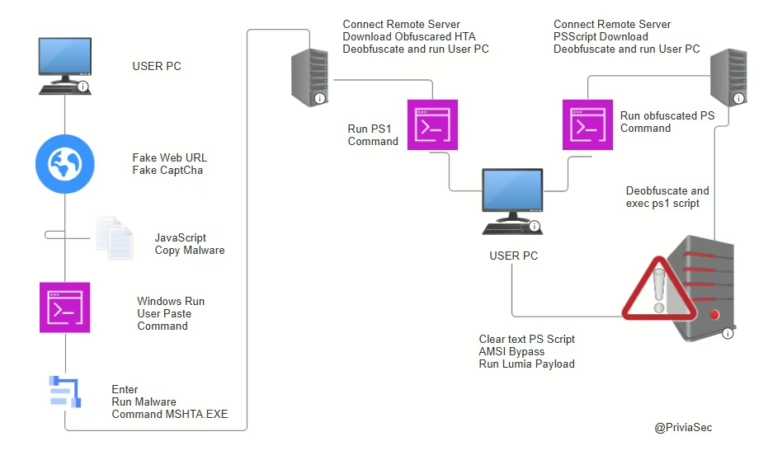
PowerShell, a versatile command-line tool and scripting language crafted by Microsoft, has been a cornerstone of Windows operating systems since Windows 7. Its prowess in offering extensive control over system configurations, coupled with a user-friendly interface, makes it an indispensable asset in system management. However, these very features also render it a favored tool for attackers seeking to exploit systems post-compromise.
PowerShell as an Attack Vector
Attackers frequently exploit PowerShell due to its deep-seated integration with Windows. This integration enables attackers to masquerade as regular users, execute harmful commands, and evade security protocols. Furthermore, PowerShell’s capability to run processes in memory makes it an ideal candidate for fileless malware attacks, which are notoriously difficult to detect and mitigate.
Securing PowerShell
To counteract these threats, it’s imperative to implement PowerShell security hardening measures. Here are some pivotal steps to fortify PowerShell:
PowerShell Constrained Language Mode (CLM)
PowerShell CLM curtails access to sensitive components used to invoke Windows APIs. Upon activation, it permits the use of cmdlets but obstructs commands that interact with APIs. Here are some restrictions enforced by CLM:
Logging PowerShell Activities
To uncover malicious activities, it’s vital to log PowerShell actions. This can be activated through the following policies:
- Module Logging: Logs details of sequentially executed commands. Activated through the ‘Turn on Module Logging’ policy.
- Script Logging: Records all code blocks within a script file and logs all script activities. Activated through the ‘Turn on PowerShell Script Block Logging’ policy.
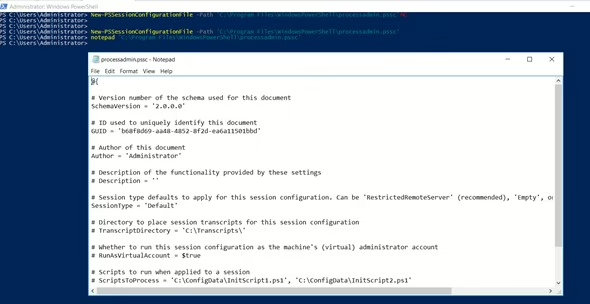
- Transcription: Captures all input and output of PowerShell sessions. Activated through the ‘Turn on PowerShell Transcription’ policy.
Conclusion
Securing PowerShell is a pivotal step in safeguarding your systems from sophisticated threats. By implementing PowerShell CLM and enabling comprehensive logging, you can substantially bolster your system’s security posture. For more in-depth guidance, refer to the official PowerShell documentation.