Ultimate Guide to Disk Encryption: Secure Your Data on Windows, Mac & Linux Like a Pro!
Safeguarding Your Data in the Digital Age
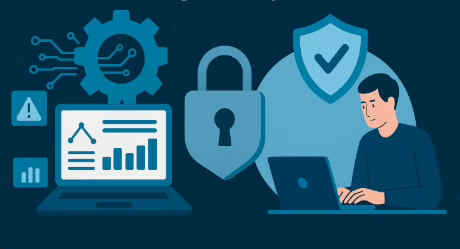
In our increasingly digital world, keeping your sensitive data safe is more important than ever. Thankfully, operating systems like Microsoft Windows, Mac, and Linux come equipped with powerful encryption tools to help prevent data loss and unauthorized access. One of the most effective ways to protect your data is through disk encryption, which converts your data into an unreadable format for unauthorized users and potential attackers. In this article, we’ll explore the built-in and third-party disk encryption tools available for these operating systems.
Understanding Disk Encryption
Disk encryption is a technology that converts data on a disk into a secret code that can’t be read by unauthorized users. It’s an essential tool for protecting your sensitive information from external attacks and unauthorized access. You can apply disk encryption using your operating system’s default features or through third-party software. It ensures that every bit of data on your system disk is encrypted, providing comprehensive protection for your privacy and security.
Encrypting File System (EFS)
The Encrypting File System (EFS) is a handy feature in Microsoft Windows that helps prevent unauthorized access to your disk. Introduced with the 3.0 version of NTFS, EFS provides file system-level encryption. Files can only be read when you log into your computer using your user account. EFS can be used to encrypt individual files or entire drives. For the best security, it’s recommended to encrypt entire folders or drives rather than individual files. When a folder or drive is encrypted, all existing and new files within it are automatically encrypted, ensuring top-level privacy.
BitLocker Drive Encryption
BitLocker Drive Encryption provides complete protection by encrypting your entire hard drive. It’s a feature in Microsoft Windows operating systems. BitLocker uses a key stored in the Trusted Platform Module (TPM), a chip on your computer’s motherboard, to reduce the risk of data access if your hard drive is stolen and installed in another computer. In such cases, thieves might try to boot an alternative operating system to access your stolen data. BitLocker To Go extends this encryption to removable disks like USB flash drives.
Linux Unified Key Setup (LUKS)
Linux offers various encryption techniques to protect data on physical devices like hard drives and removable media. One such technology is the Linux Unified Key Setup (LUKS). LUKS allows for the encryption of entire Linux partitions, providing strong protection against dictionary attacks by utilizing the existing device mapper kernel subsystem. LUKS is a standard for disk encryption in Linux operating systems, ensuring compatibility across different distributions. It stores all necessary configuration information in the partition header, facilitating the seamless and complete transfer of data.
FileVault for Mac
Security is always a top priority for Mac devices. FileVault is a crucial disk encryption tool for Mac computers. It provides full disk encryption for Mac operating systems, preventing unauthorized access to the data on your startup disk. FileVault is an ideal method for protecting sensitive data, encrypting the entire contents of your computer. This ensures that your data remains secure even if your computer is lost, stolen, or damaged.
For more information on cybersecurity best practices, you can visit the Cybersecurity and Infrastructure Security Agency.