Exploiting Misconfigured Services for Privilege Escalation in Windows Systems
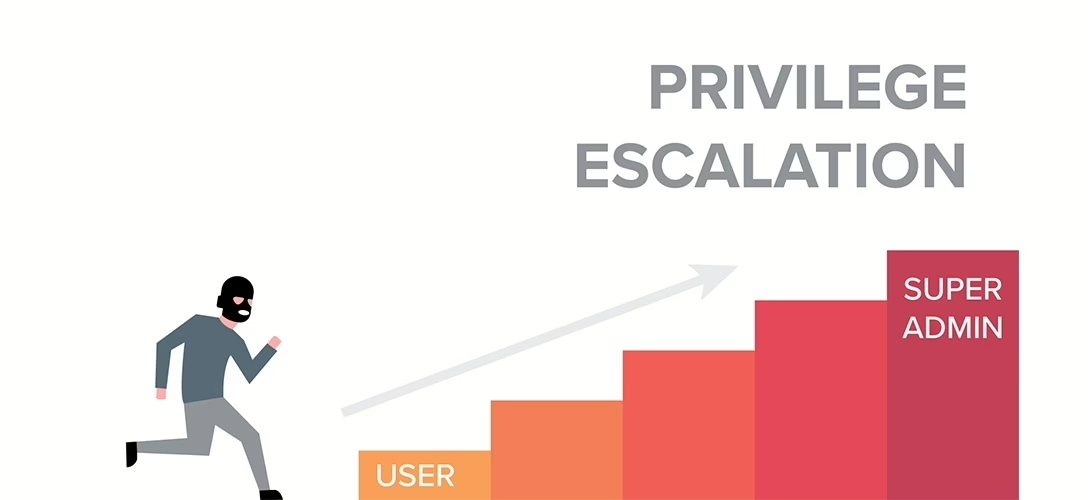
During penetration testing, after gaining access to a machine, different stages are required. If the infiltration is performed through a user account with low privileges, it will not allow performing operations that require high privileges on the machine. Therefore, it will be necessary to perform a privilege escalation by exploiting certain vulnerabilities present in the machine. This article will discuss how to escalate privileges on a Windows machine accessed with low privileges by exploiting misconfigured services.
We will examine privilege escalation due to misconfigured services under four main topics:
The operations will be performed on a Windows Server 2016 machine accessed through an unauthorized account. The AccessChk tool will be used to check for misconfigurations.
Unquoted Service Path
In Windows systems, when a service is started, the application located in the file path specified by the “binpath” parameter during service creation is executed. However, if there are space characters in the file path, the service startup process will occur differently. If there are space characters in the file path specified for the service, the part before the space is taken as the base, and an attempt is made to run an application in that directory. If there is a file in that path, it is executed, and the same process continues until the actual service file is reached.
For example, consider a service with the path “C:Program FilesService Folderservice.exe”. When this service is started, due to the space character in the directory name “Program Files”, the part before the space, “C:Program”, is taken as the base, and the application “C:Program.exe” is executed. If there is an application named Program.exe in the C: directory, it will be executed. If not, it is not a problem, and the steps will continue whether the application runs or not. Then, due to the space character in the directory name “Service Folder”, the part before the space, “C:Program FilesService”, is taken as the base, and the application “C:Program FilesService.exe” is executed. Again, the steps will continue until the actual service application is executed, regardless of whether the application file exists or not. Finally, the application located in the directory path “C:Program FilesService Folderservice.exe” will run, and the service will start.
If this service runs with high privileges and low-privileged users have write permissions to these directories, a malicious program can be placed in the directory path taken as the base before the space mentioned above. Thus, when the service is started, the malicious application will run with high privileges, and the privilege escalation process will be completed.
Weak Folder Permissions
The access permissions of the directory where the service application running with high privileges is located are important. If low-privileged users have write permissions on these directories, users can replace the service file with a different malicious file with the same name. Thus, when the service is started, the malicious file runs instead of the actual service file.
First, the permissions of the unauthorized user on the relevant service directory will be examined using the AccessChk application. If the unauthorized user has write permissions on the directory, a meterpreter payload can be placed instead of the service file. The name of the meterpreter payload will be changed to “service.exe”, and the actual service application will be removed from this directory. When the service is started, a meterpreter session will be obtained.
Weak Service Permissions
To perform operations on the created services, the relevant user accounts must have permissions on the services. Thus, they can configure the services. If low-privileged user accounts have permissions on services running with high privileges, they can make changes related to the service configuration, which can lead to privilege escalation.
First, the permissions of the unauthorized account named “unprivileged” on the service named “wsp” will be examined using the AccessChk application. If the low-privileged “unprivileged” account has all permissions on the “wsp” service, changes can be made to the service configuration. Using the command sc config wsp binpath="C:UsersunprivilegedDesktopreverse_shell.exe" obj=LocalSystem, the meterpreter payload located in the desktop directory of the “unprivileged” user is specified as the service application for the “wsp” service, and when the service runs, the payload will run with SYSTEM privileges.
Weak Registry Permissions
In Windows systems, for all created services, keys with the same name are created under “HKLMSYSTEMCurrentControlSetServices”. If low-privileged users have permissions on the registry keys belonging to the services, low-privileged users can make configuration changes on these directories. The permissions of the user named “unprivileged” on the keys under the “HKLMSYSTEMCurrentControlSetServices” registry key will be checked using the AccessChk application.
As a result of the permission check, it is seen that the “unprivileged” user has all permissions on the “wrp” service. Thus, changes can be made to this service through the registry. The path of the meterpreter payload can be entered instead of the “ImagePath” value, and when the service is restarted, a meterpreter session can be obtained.