Recover Your Hacked Email Account: A Step-by-Step Guide
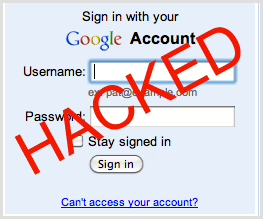
Weekends are prime time for hackers to strike, especially before a long one. They often target email accounts to exploit your network, emails, and data. If your email account has been compromised, follow these steps immediately to secure it.
Step 1: Change Your Password Immediately
The first step is to change your password to prevent the hacker from regaining access. Use a strong password or, better yet, a passphrase. Avoid using variations of your old password. If your previous password was SpotBeagle2, don’t choose SpotBeagle3. Instead, consider the following methods to create a robust password:
Level 1 Passwords (Strong)
Use a meaningful sentence as the basis for your new password. For example, “I go swimming twice a day in my pool” can be transformed into “Igs2AdimP” by using the first letter of each word, mixing uppercase and lowercase letters, and replacing the word “twice” with “2”.
Weakness: Length; a 9-character password can be cracked by modern computers in about 5 days.
Level 2 Passwords (Stronger)
Create a passphrase using a full sentence or a set of words. For example, “Jelly is yum!” is nonsensical, memorable, and difficult to hack due to its 13-character length. Hackers dislike this method because it’s easy to remember but hard to crack.
Weakness: Your ability to memorize these passphrases for each account you own.
Level 3 Passwords (Strongest)
For the most secure option, consider using a password manager. Password managers allow you to use 15-30 character random passwords without the need to memorize them. Examples include LastPass, DashLane, and 1Password. These tools can generate random passwords like “$4tV$mrWcVqj2X8oY3p” or “uQ2d@L9xRglLIcn*ZY0”.
Weakness: Your master password must be extremely strong. Use a Level 2 passphrase of at least 16-20 characters. Do not forget this or write it down. Practice typing it well before committing to it.
Step 2: Recover Access to Your Email Account
If the hacker has changed your password, you’ll need to reclaim your account. Use the “forgot your password” link and answer your security questions, use your backup email address, or receive a text message to your phone. Check the specific recommendations for reclaiming your account for Gmail, Outlook.com, and Hotmail.
Step 3: Enable Two-Factor Authentication
To prevent your email account from being taken over again, enable two-factor authentication. This requires a second form of authentication in addition to your password whenever you log into your email account from a new device. You’ll need to enter a special one-time use code texted to your phone or generated via an app.
Step 4: Check Your Email Settings
Hackers may change your email settings to forward copies of your emails to themselves. Check your mail forwarding settings, email signature, “reply to” email address, and auto-responder to ensure no unexpected changes have been made.
Step 5: Scan Your Computer for Malware
Run a full scan with your anti-malware program. If you don’t have one, download a free version of Malwarebytes and run a full scan. It’s recommended to use Malwarebytes even if you already have another anti-malware program, as it has resolved problems that other software couldn’t.