What is Nuclei?
Nucleia ProjectDiscovery it is a fast and open source security vulnerability scanning software developed by his team, written in Go language, that can be managed with templates (template – in YAML format). Because it is manageable with templates, it makes it possible to look for a specific vulnerability on multiple servers. Nuclei tool TCP, DNS, HTTP etc. on protocols security breach it can scan. It also has a template repository contributed by more than 200’ security researchers and engineers.
Nuclei Installation
Installing Nuclei with Go
GO111MODULE=on go get -v github.com/projectdiscovery/nuclei/v2/cmd/nucleiRequires the latest Go version to install successfully.
Installing Nuclei with Brew
brew install nucleusThis method supports MacOS and Linux.
Installing Nuclei with Docker
docker pull projectdiscovery/nuclei:latest
Nuclei Setup from Github
go clone https://github.com/projectdiscovery/nuclei.git;
cd nucleusi/v2/cmd/nuclei;
go build;
mv nucleusi /usr/local/bin/;
nucleus -version;
Requires the latest Go version to install successfully.
Nuclear binary
After “https://github.com/projectdiscovery/nuclei/releases” downloads the latest file from this address according to your operating system and extracts it from the archive, you can run the binary file.
Nuclei Template Installation and Update
nucleus -ut
nucleus -update
Nuclei Installation
We are now ready to use the Nuclei tool. “ to see all commands and descriptionsnucleus -hYou can use the ” command.

Usage:
  nucleus [flags]

Flags:
TARGET:
   -u, -target string[] target URLs/hosts to scan
   -l, -list string path to file containing a list of target URLs/hosts to scan (one per line)

TEMPLATES:
   -tl list all available templates
   -t, -templates string[] template or template directory paths to include in the scan
   -w, -workflows string[] list of workflows to run
   -nt, -new-templates run newly added templates only
   -validate validate the passed templates to nuclei

FILTERING:
   -tags string[] execute a subset of templates that contain the provided tags
   -include-tags string[] tags from the default deny list that permit executing more intrusive templates
   -etags, -exclude-tags string[] exclude templates with the provided tags
   -include-templates string[] templates to be executed even if they are excluded either by default or configuration
   -exclude-templates, -exclude string[] template or template directory paths to exclude
   -severity, -impact value[] Templates to run based on severity. Possible values: info, low, medium, high, critical
   -author string[] execute templates that are (co-)created by the specified authors

OUTPUT:
   -o, -output string output file to write found issues/vulnerabilities
   -silent display finds only
   -v, -verbose show verbose output
   -vv display extra verbose information
   -nc, -no-color disable output content coloring (ANSI escape codes)
   -json write output in JSONL(ines) format
   -irr, -include-rr include request/response pairs in the JSONL output (for finds only)
   -nm, -no-meta don't display match metadata in CLI output
   -nts, -no-timestamp don't display timestamp metadata in CLI output
   -rdb, -report-db string local nuclear reporting database (always use this to persistent report data)
   -me, -markdown-export string directory to export results in markdown format
   -se, -sarif-export string file to export results in SARIF format

CONFIGURATIONS:
   -config string path to the nucleusi configuration file
   -rc, -report-config string nucleus reporting module configuration file
   -H, -header string[] custom heads in header:value format
   -V, -var value custom vars in var=value format
   -r, -resolvers string file containing resolver list for nucleus
   -system-resolvers use system DNS resolving as error fallback
   -passive enable passive HTTP response processing mode
   -env-vars enable environment variables support

INTERACTSH:
   -no-interactsh disable interactsh server for OOB testing
   -interactsh-url string interactsh server url for self-hosted instance (default "https://interact.sh")
   -interactsh-token string authentication token for self-hosted interactsh server
   -interactions-cache-size int number of requests to keep in the interactions cache (default 5000)
   -interactions-eviction int number of seconds to wait before evicting requests from cache (default 60)
   -interactions-poll-duration int number of seconds to wait before each interaction poll request (default 5)
   -interactions-cooldown-period int extra time for interaction polling before exiting (default 5)

RATE-LIMIT:
   -rl, -rate-limit int maximum number of requests to send per second (default 150)
   -rlm, -rate-limit-minute int maximum number of requests to send per minute
   -bs, -bulk-size int maximum number of hosts to be analyzed in parallel per template (default 25)
   -c, -concurrency int maximum number of templates to be executed in parallel (default 10)

OPTIMIZATIONS:
   -timeout int time to wait in seconds before timeout (default 5)
   -retries int number of times to retry a failed request (default 1)
   -max-host-error int max errors for a host before skipping from scan (default 30)
   -project use a project folder to avoid sending same request multiple times
   -project-path string set a specific project path (default "$TMPDIR/")
   -spm, -stop-at-first-path stop processing HTTP requests after the first match (may break template/workflow logic)

HEADLESS:
   -headless enable templates that require headless browser support
   -page-timeout int seconds to wait for each page in headless mode (default 20)
   -show-browser show the browser on the screen when running templates with headless mode

DEBUG:
   -debug show all requests and responses
   -debug-req show all sent requests
   -debug-resp show all received responses
   -proxy, -proxy-url string URL of the HTTP proxy server
   -proxy-socks-url string URL of the SOCKS proxy server
   -trace-log string file to write sent requests trace log
   -version show nucleus version
   -tv, -templates-version shows the version of the installed nuclei-templates

UPDATE:
   -update update nucleus to the latest released version
   -ut, -update-templates update the community templates to latest released version
   -nut, -no-update-templates do not check for nuclei-templates updates
   -ud, -update-directory string overwrite the default nucleus-templates directory (default "$HOME/nuclei-templates")

STATISTICS:
   -stats display statistics about the running scan
   -stats-json write statistics data to an output file in JSONL(ines) format
   -si, -stats-interval int number of seconds to wait between showing a statistics update (default 5)
   -metrics expose nuclei metrics on a port
   -metrics-port int port to expose nuclear metrics on (default 9092)
The most basic use of Nuclei is “nucleus -u https://target.comit is shaped like ”. Since we do not specify a specific template in this usage, it will use all templates by default.
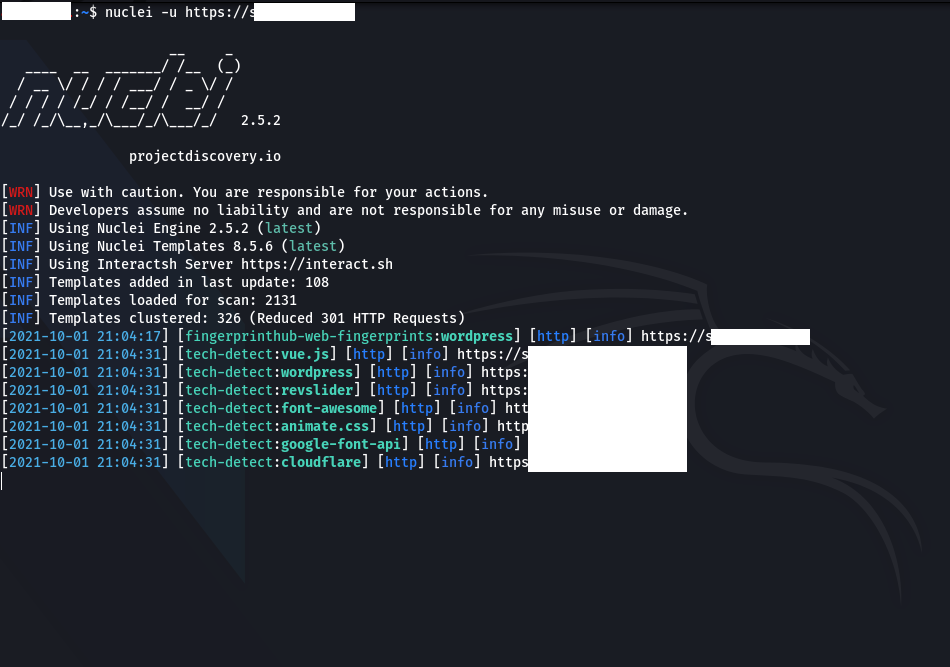
“ if we want to use specific templates-tWe can use the ” parameter. For example; “nucleusi -u https://target.com -t cves/2020/when we run the ” command, it will use all templates under the “cves/2020/” directory.
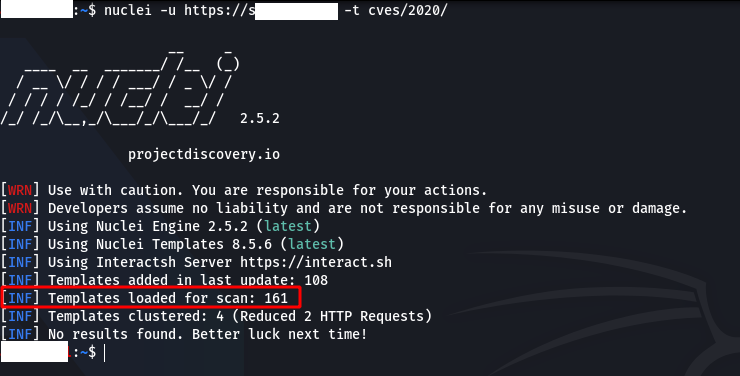
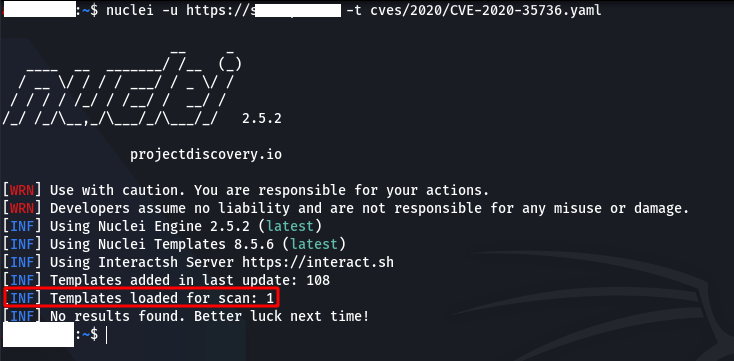
Instead of using more than one template, we can also use a single one. For example; “nucleusi -u https://target.com -t cves/2020/CVE-2020-35736.yaml“
Also “ to exclude some templates in the scan-exclude-templatesWe can use the ” parameter.
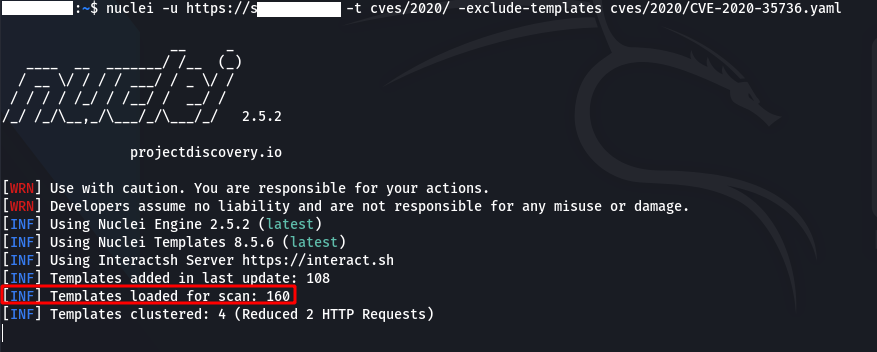
By filtering templates, we can ensure that only templates of the type we want work. Nuclei supports three types of filtering methods.
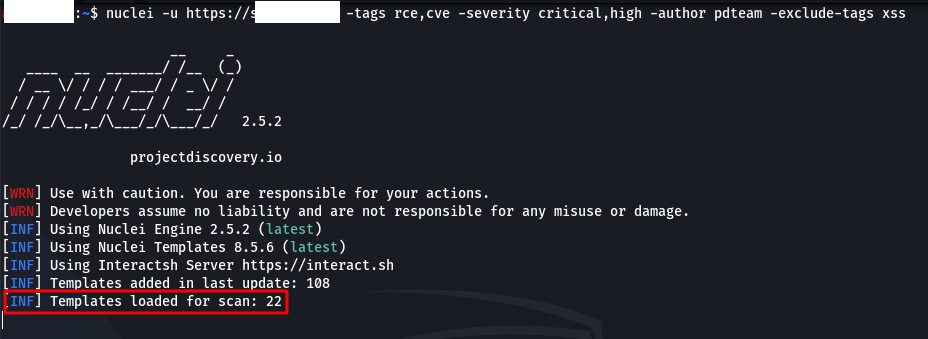
To exclude some tags, “-exclude-tags We can use the ” parameter.
Sample Usage: “nucleus -u https://target.com -tags rce,cve -severity critical,high -author XXXX -exclude-tags xss“
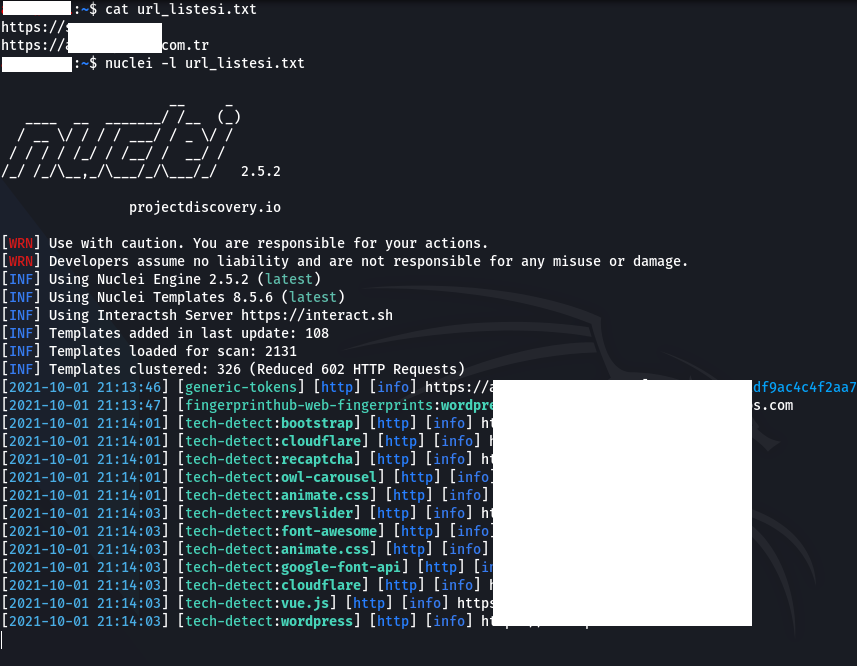
“ if we want to scan on multiple targets-list” or “-lWe can use the ” parameter. For example; “nucleusi -l url_listesi.txtWith the ” command, it scans all addresses in the “url_listesi.txt” file.
Note: An address must be written on each line in the file containing the addresses where the scan will be made.
Nuclei’s reporting module Jiraa Github and Gitlabsupports ’. To do this, “ must create the config file of the platform on which the reporting will be made-rc” or “-report-configAfter the ” parameter, the path to the config file must be specified.
Example config file: https://github.com/projectdiscovery/nuclei/blob/master/v2/cmd/nuclei/issue-tracker-config.yaml
Example usage: “nucleus -u https://target.com -rc config.yaml“
“ to export the output of the scan as markdown-me” or “-markdown-exportWe can use the ” parameter. “ if we just want to export the output in plain text-oWe can use the ” parameter.
Example usage: “nucleusi -u https://target.com -rc config.yaml -me markdown.txt -o output.txt“