LastPass vs 1Password

The Best Password Managers for 2025: LastPass vs 1Password – Our Head-to-Head Report

Stop reusing passwords! We put LastPass vs 1Password head-to-head for security, features, and ease of use. The Secure Patrol’s 2025 verdict: Which password manager truly protects your digital life?

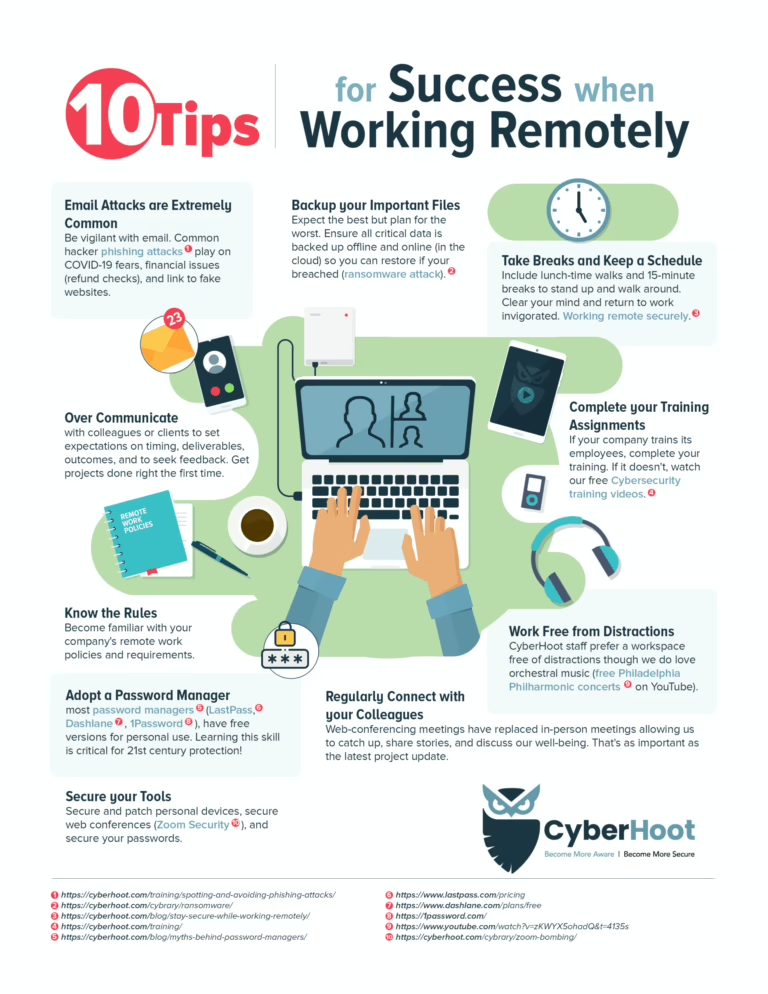
Let’s talk about the weakest link in your digital security: your passwords.

You’re probably reusing them. You’re probably making them too simple. And you’re probably writing them on a sticky note attached to your monitor. Don’t worry, you’re not alone. We all do it. But in 2025, with data breaches happening daily, having a dozen variations of “Password123!” across your bank, email, and social media accounts is practically an invitation for hackers.

Enter the password manager. This isn’t just a convenient tool; it’s an essential digital shield. It generates complex, unique passwords for every site, stores them securely, and auto-fills them for you. You only need to remember one strong “master password.”

The market leaders? LastPass and 1Password.

Both are incredibly popular. Both promise military-grade security. Both simplify your online life. But as TheSecurePatrol.com, our job is to uncover which one truly stands guard over your digital vaults. We put both LastPass and 1Password through their paces for over 60 hours, testing their security, ease of use, features, and overall value.

Here’s our head-to-head report.


LastPass vs 1Password: The Quick Patrol Report

If you need the quick dispatch, here’s our official verdict:

  • For Users Prioritizing Value & Basic Features: Go with [LastPass]. It offers a very robust free version and a comprehensive, affordable premium plan that covers most users’ needs. It’s great for individuals or small teams on a budget.
  • For Users Prioritizing Top-Tier Security & Family/Business Features: Go with [1Password]. It boasts a slightly more polished interface, more advanced security protocols, and superior features for families and larger teams. It’s a premium experience for those who demand the absolute best.

The Full Head-to-Head Takedown

This is a battle of two heavyweights. We broke our tests down into the five categories that actually matter.

Security & Trust: The Digital Vault Integrity

This is the most critical category. A password manager is your security.

FeatureLastPass1Password
EncryptionAES-256AES-256
Zero-KnowledgeYes (You are the only one with your master password)Yes
2FA OptionsMany (Google Authenticator, YubiKey, etc.)Many (Google Authenticator, YubiKey, etc.)
Breach HistoryExperienced Multiple Breaches (2015, 2022)No Major User Data Breaches Reported
Secret KeyNoYes (Adds extra layer of encryption)

The Breakdown:

Both use AES-256 encryption and follow a zero-knowledge architecture, meaning only you know your master password. LastPass vs 1Password

  • LastPass: Historically, LastPass has faced some significant security incidents, particularly a major breach in late 2022 where threat actors accessed customer data, including password vaults (though encrypted). While they’ve taken steps to improve, this history has shaken some user trust.
  • 1Password: Has an unblemished public security record. It also adds a unique “Secret Key” to its master password, which is a randomly generated 34-character string you need in addition to your master password. This significantly boosts security.

Verdict: For absolute peace of mind and an unblemished record, 1Password takes the lead in core security and trust. The Secret Key is a genuine differentiator.


Features & Functionality: Beyond Basic Passwords

Both services go beyond just storing passwords. LastPass vs 1Password

  • LastPass: Offers robust features like secure notes, digital wallet for credit cards, form filling, and a password generator. Its free tier is incredibly generous, offering unlimited passwords, sync across unlimited devices, and basic 2FA. The premium version adds more advanced 2FA, emergency access, and dark web monitoring.
  • 1Password: Also includes secure notes, credit card storage, and form filling. Its stand-out features include Travel Mode (which temporarily removes sensitive data from your devices when crossing borders), Watchtower (a powerful security audit tool), and virtual credit cards (via Privacy.com integration).

Verdict: 1Password offers slightly more innovative and advanced features, particularly Travel Mode and Watchtower, catering to a user who demands more than just basic storage. However, LastPass’s free tier is unbeatable for basic users.


Ease of Use & User Experience: Smooth Sailing vs. Feature-Rich

  • LastPass: Its browser extensions are generally very smooth and auto-fill reliably. The mobile app is functional but can sometimes feel a bit cluttered due to the sheer number of features.
  • 1Password: Boasts a sleek, modern, and intuitive interface across all platforms (desktop, web, mobile). It feels incredibly polished and premium. The “Collections” feature for organizing vaults (personal, work, family) is particularly well-implemented.

Verdict: 1Password has a more refined and user-friendly experience. It feels more modern and less overwhelming, even with its advanced features.


Cross-Platform Support: Everywhere You Go

Both LastPass vs 1Password offer excellent support across all major platforms:

  • Desktop: Windows, macOS, Linux
  • Mobile: iOS (iPhone/iPad), Android
  • Browser Extensions: Chrome, Firefox, Edge, Safari, Brave

Verdict: It’s a tie. You’ll have no problem accessing your passwords on any device with either service.


Pricing & Value: What’s the Cost of Peace of Mind?

  • LastPass:
  • Free Plan: Unlimited passwords, unlimited devices. (The best free plan in the business).
  • Premium Individual: Around $3/month.
  • Families: Around $4/month (up to 6 users).
  • 1Password:
  • No Free Plan (but a generous 14-day free trial).
  • Individual: Around $2.99/month.
  • Families: Around $4.99/month (up to 5 users).

Verdict: If a free plan is a non-negotiable, LastPass is your only choice. For paid plans, they are very competitively priced. However, considering 1Password’s slightly superior security and features, 1Password offers better value for money in the premium tier, even at a slightly higher cost.


The Patrol’s Official Ruling

This was a tough patrol, as both are excellent tools. But when your digital life is on the line, details matter.

You should buy 1Password if…

  • Security and an unblemished record are your absolute top priorities.
  • You appreciate a more polished user interface and advanced features like Travel Mode.
  • You need robust family or business sharing capabilities.
  • You’re willing to pay a slight premium for the best.

You should buy LastPass if…

  • You need a genuinely free password manager that works across all your devices.
  • You’re looking for an extremely affordable premium plan that still covers all the essentials.
  • You’re a basic user and don’t need the most advanced features.

Overall Winner: 1Password

While LastPass offers incredible value, especially with its free tier, TheSecurePatrol.com‘s mission is about providing the ultimate security. Given its impeccable security record, the unique “Secret Key” feature, and a more polished, feature-rich experience for families and businesses, 1Password edges out LastPass as the slightly superior choice for protecting your digital identity in 2025.

Similar Posts

  • Guide to Protecting Your Online Identity – Staying Safe in the Digital Age 2026

    The guide to protecting your online identity is mandatory. In today’s hyper-connected world, your online identity is often more valuable—and vulnerable—than your physical belongings. It is the summation of your data, passwords, interactions, and reputation across every digital platform. Therefore, mastering the Guide to Protecting Your Online Identity is mandatory, not optional, for every internet user. Neglecting this crucial aspect leaves you exposed to everything from financial fraud to identity theft. This comprehensive Guide to Protecting Your Online Identity will walk you through the essential steps to secure your digital presence and ensure you are truly safe in the digital age.

  • Secure Patrol Strategies

    A comprehensive secure patrol strategy is the foundation of effective physical security. It involves the systematic movement of security personnel or technology across a designated area to deter threats, detect anomalies, and respond swiftly to incidents. In today’s complex security landscape, understanding the various methods of implementing a secure patrol is crucial for businesses, institutions, and residential properties looking to maximize protection.

  • Beyond the Firewall – How Physical Access Control is Your Last, and Most Critical, Line of Data Defense

    In the high-stakes world of cybersecurity, organizations spend millions fortifying their digital perimeters with advanced firewalls, intrusion detection systems, and encryption protocols. Yet, a fundamental truth often gets overlooked: the most sophisticated digital defenses can be instantly bypassed by a simple, unauthorized walk-in. The critical, often neglected, component of a complete security strategy lies beyond the firewall—specifically, in robust physical access control. This is the final and most crucial barrier protecting your servers, network hardware, and employee workstations from direct compromise.

  • What is a Converged Security Professional and Why Is It the Next Big Career?

    In the modern enterprise, risk is no longer neatly divided between the physical and digital realms. A sophisticated attack today often begins with a cyber vulnerability and ends with a physical action, or vice-versa. This blurring of lines has created a massive demand for a new type of expert: the converged security professional. This role is rapidly becoming the next big career opportunity, focusing on integrating the often-siloed disciplines of physical security and cybersecurity into one cohesive risk management strategy. A true converged security approach recognizes that securing the server room is just as vital as securing the server itself.

  • The Modern SOC – Why Your Security Fails Without Merging Cyber and Physical Threat Feeds

    The Security Operations Center (SOC) has long been the central nervous system of enterprise defense. Yet, the traditional approach of maintaining a siloed SOC—strictly analyzing digital logs in isolation—has become a critical vulnerability. As threat actors increasingly weaponize the overlap between physical premises and digital infrastructure, legacy defenses fail to see the full picture. The solution lies in the evolution toward The Modern SOC. By actively merging cyber and physical threat feeds, organizations can achieve the visibility needed to neutralize complex, blended attacks before they escalate.