Break Free Online: Master the Art of VPNs for Total Web Freedom!
Break Free Online: Master the Art of VPNs for Total Web Freedom!
Picture this: You’re all set to stream your favorite show, dive into an exciting article, or check your messages—and suddenly, you hit a wall. Blocked. Restricted. Denied. Frustrating, right? But here’s the good news—VPNs don’t just break down those barriers; they smash them, paving the way to everything the web has to offer.
Understanding Website and Service Restrictions
Ever encountered a digital roadblock while trying to access a website or service? It could be your favorite streaming platform unavailable in your country, a social media site banned on your school network, or an entire category of content censored by your government. These barriers aren’t just inconvenient—they’re a stark reminder that the internet isn’t always the open playground we expect it to be. But what’s causing these restrictions, and how do they work?
Why Are Websites Blocked?
- Geographical Restrictions: Ever noticed how certain shows are only available in specific countries? Companies restrict content to comply with licensing agreements. Your location determines what you can see, and if you’re not in the right spot, you’re out of luck.
- Network Policies: Schools, offices, and even public Wi-Fi networks block certain sites to enforce productivity, save bandwidth, or adhere to internal rules. While their reasoning may make sense, it can be frustrating when you just want a quick break.
- Government Censorship: Some governments actively block access to specific websites, apps, or even entire categories of content to control the flow of information and maintain strict oversight of what people can access online.
How the Blocks Work
- IP Address Targeting: Your IP address reveals your location. Websites or networks block these addresses to stop access from specific regions or devices.
- DNS Filtering: When you type a website into your browser, it relies on a DNS server to find it. If the DNS server blocks your request, the site simply won’t load.
- Deep Packet Inspection (DPI): Some advanced systems scan and filter your internet traffic in real-time, identifying and halting connections to restricted websites.
How VPNs Work to Unblock Content
Think of a VPN as your online invisibility cloak, but with a twist—it doesn’t just hide you; it opens doors. If you’ve ever faced a blocked website or service, VPNs step in as your go-to solution, cutting through restrictions like a hot knife through butter. But what’s the magic behind it?
What Is a VPN?
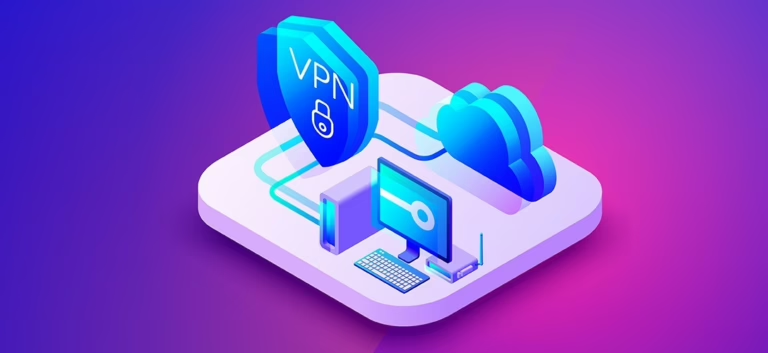
A Virtual Private Network (VPN) creates a secure connection between your device and the internet. It disguises your real IP address and reroutes your traffic through a server located somewhere else in the world. Suddenly, that blocked website thinks you’re visiting from a location where it’s allowed. Simple, right?
How VPNs Bypass Restrictions
- IP Address Switcheroo: When you connect to a VPN, it replaces your actual IP with one from the server you choose. So, if a website blocks your country, you can hop onto a server elsewhere and access it with ease.
- Encrypting the Connection: VPNs encrypt your data, making it unreadable to prying eyes. Whether it’s your Internet Service Provider (ISP) or a nosy network admin, they won’t know what you’re accessing.
- Sneaking Past Firewalls: By rerouting your traffic through its servers, a VPN can bypass even the most stubborn firewalls, giving you access to restricted content without raising alarms.
Why VPNs Are the Superior Choice
You might have heard of proxies or DNS hacks for unblocking websites, but here’s the deal: VPNs don’t just unblock—they protect. Unlike proxies, which only mask your location, VPNs shield your entire online activity with encryption. Plus, with thousands of global servers, VPNs provide fast, reliable, and secure access to content from anywhere.
Step-by-Step Guide: Using a VPN to Unblock Websites
Unblocking websites with a VPN isn’t complicated. You don’t need to be a tech guru to make it work; just follow these steps, and you’ll be surfing freely in no time. Here’s how to get your VPNs unblocked and reclaim the internet.
Step 1: Choose a Trustworthy VPN
Not all VPNs are equal. Some excel at unblocking websites, while others fall short. Reliable options like ExpressVPN, NordVPN, and Surfshark are popular for their speed and global server coverage. Free VPNs might work, but they often come with slow speeds, limited servers, and questionable privacy practices. Invest in a paid service for a smoother experience.
Step 2: Install the VPN App
Head to the official website of your chosen VPN or download the app from your device’s app store. Select the version for your operating system—Windows, macOS, Android, or iOS—and follow the installation instructions.
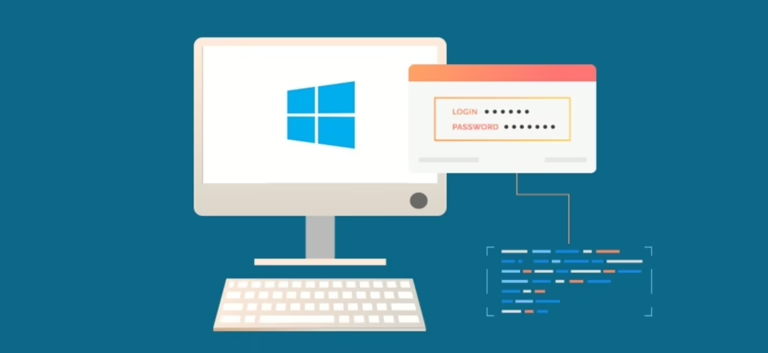
Step 3: Log In and Adjust Settings
Open the app and log in using your account details. Explore the settings to optimize your connection:
- Enable the Kill Switch to protect your data if the VPN disconnects.
- Use split tunneling to choose which apps use the VPN and which don’t.
Step 4: Connect to a Server
Select a server in a region where the website or service isn’t blocked. For example:
- Trying to watch U.S.-exclusive content? Connect to a U.S. server.
- Want to bypass workplace restrictions? Any server outside your local network should work.
Click “Connect” and wait for the VPN to secure your connection.
Step 5: Access the Content
Open your browser or app and visit the previously blocked website. If it doesn’t work immediately:
- Clear your browser’s cookies and cache.
- Try connecting to a different server in the same region.
- Check if your VPN offers servers optimized for specific services like Netflix or Hulu.
Step 6: Browse Without Limits
With your VPN in place, the internet is yours again. Stream movies, access restricted sites, or bypass censorship—it’s all possible. Just make sure to stay connected to a server for uninterrupted access.
VPNs for Specific Scenarios
VPNs are versatile tools that go beyond unblocking websites. Whether you’re streaming movies, gaming online, or bypassing censorship in restricted regions, VPNs can adapt to meet your needs. Here’s how to use unblocked VPNs for specific scenarios.
Unblocking Streaming Services
Access Region-Locked Content: Platforms like Netflix, Hulu, and BBC iPlayer offer different libraries depending on your location. VPNs let you switch regions with a single click, granting you access to shows and movies unavailable in your country.
Tips for Streaming with a VPN:
- Choose a VPN with streaming-optimized servers.
- Clear your cache and cookies before connecting to ensure no location data interferes.
- Stick to high-speed servers for uninterrupted HD streaming.
For more information on VPNs, you can visit this authoritative source.